40%
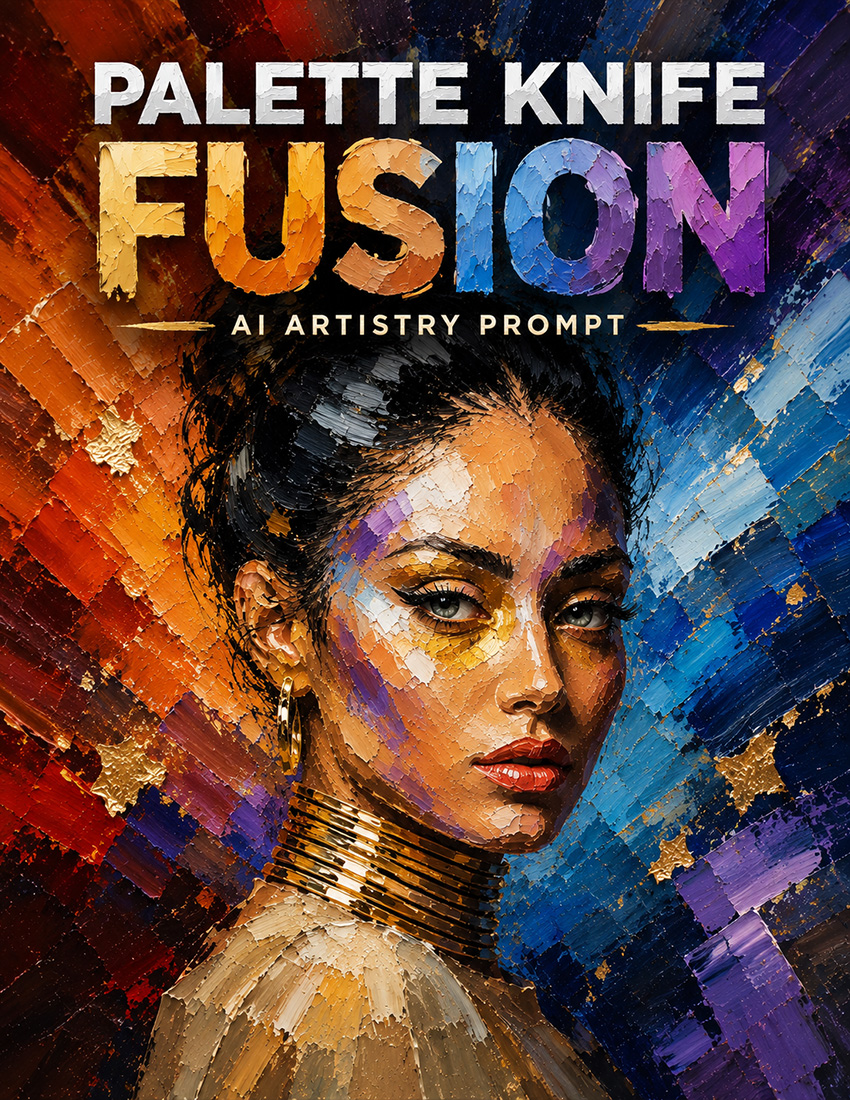
Palette Knife Fusion
by Dave Seeram
Palette Knife Fusion extracts the main subject from your photograph and transforms it into vibrant oil-painted artwork built from thick palette knife facets, loaded pigment, bold colour contrasts, and highly visible physical texture. The original background is replaced by an abstract painted composition while the subject’s pose, proportions, identifying features, expression, hair, fur, feathers, clothing, and recognisable likeness remain intact.
Choose the facet geometry, knife stroke character, abstract background structure, colour palette, colour integration, metallic leaf amount, surface texture, and lighting. Add optional facial precision, fine strands and edges, or energetic paint flecks for additional detail and movement.
- Automatic Subject Extraction: Removes the original background and integrates the main subject into a vivid abstract painted composition.
- Bold Physical Paint Texture: Creates raised knife ridges, faceted colour planes, crackled paint film, chipped sections, and visible loaded pigment.
- 41 Creative Options: Customize the painted form, knife movement, background structure, colour palette, integration, metallic accents, texture, lighting, and finishing details.
- No Photoshop Needed: Works on your phone, tablet, or computer with ChatGPT, Gemini, Copilot, or another supported AI image platform.
Recommended for use with ChatGPT, Gemini, and Microsoft Copilot on their free tiers. Also compatible with other AI image platforms.
Frequently Bought Together
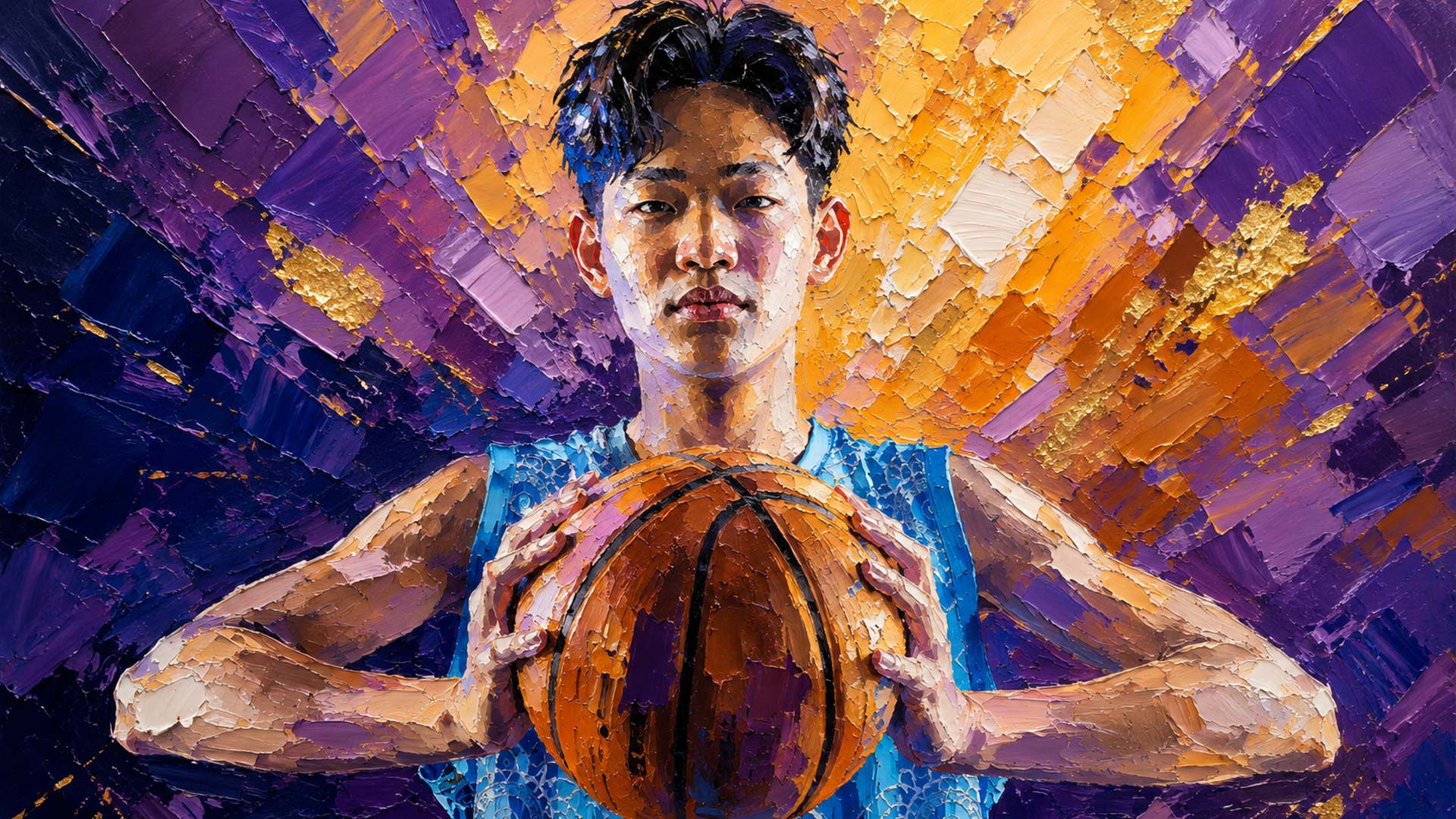
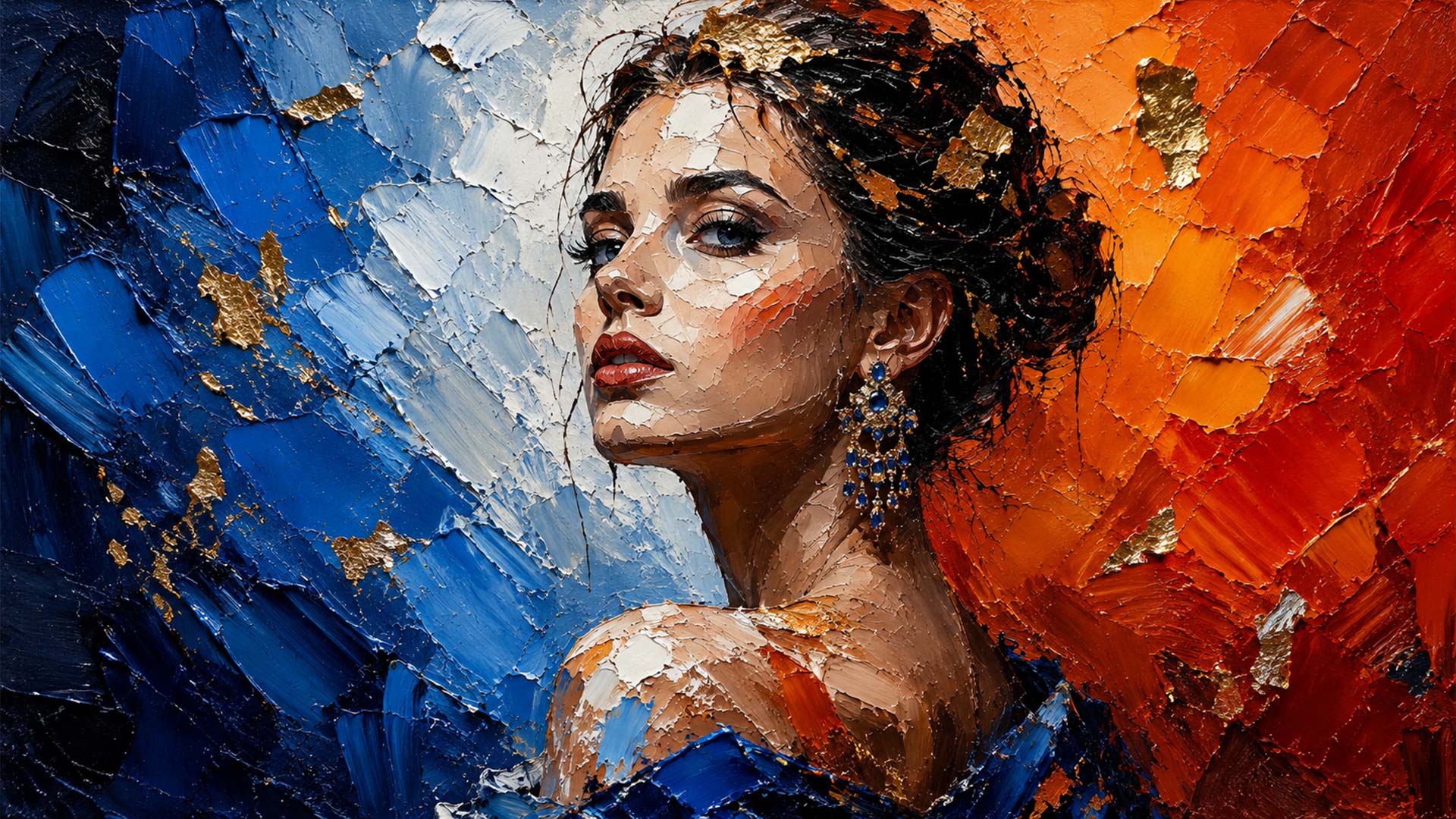
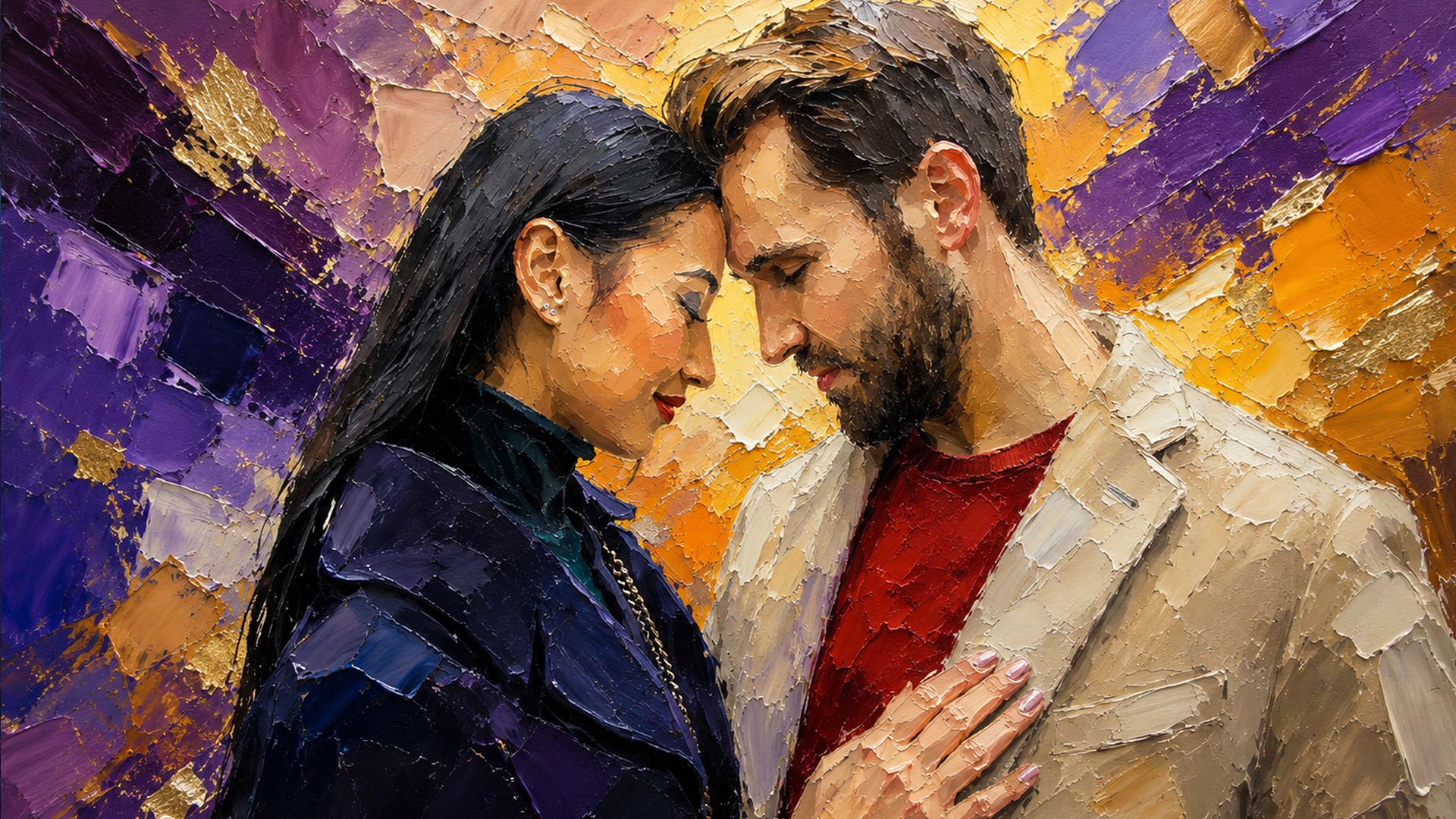
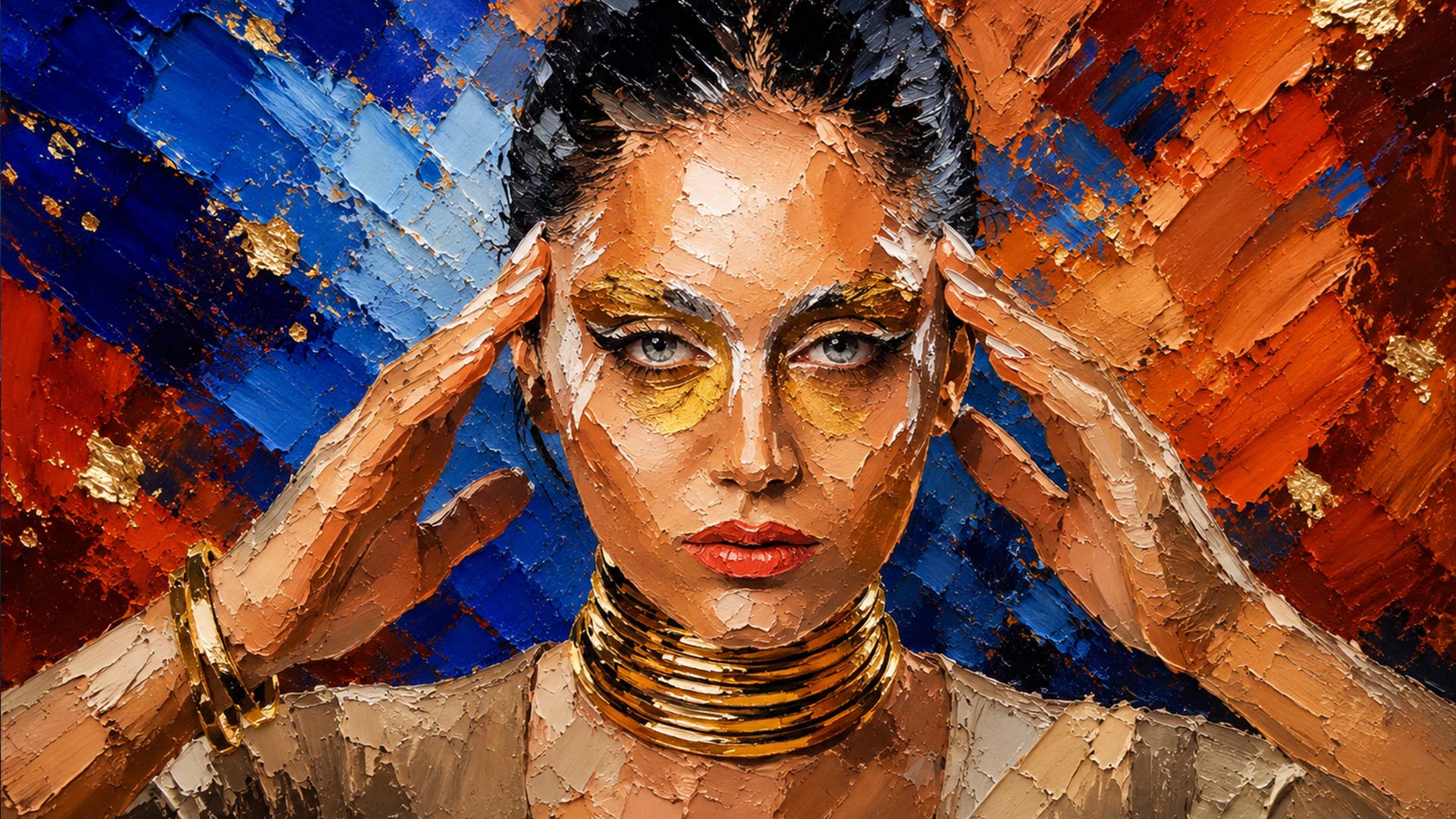
Palette Knife Fusion is an AI Artistry Prompt that extracts the main subject from your photograph and transforms it into vibrant oil painted artwork built from thick palette knife facets, loaded pigment, bold colour contrasts, and highly visible physical texture. The original background is replaced with an abstract painted composition while the subject's pose, proportions, identifying features, expression, surface details, and recognisable form remain intact.
Every surface of the subject is rebuilt as visibly applied paint rather than smooth photographic texture. Choose from 45 creative options covering facet geometry, knife stroke character, abstract background structure, colour palette, colour integration, metallic leaf, painted highlights, physical surface texture, lighting, and optional finishing details.
Palette Knife Fusion is ideal for portraits, pets, wildlife, sports photography, fashion images, vehicles, flowers, and other photographs with a strong central subject. It creates vivid statement artwork that combines recognisable subject detail with expressive colour, visible knife work, and tactile painted surfaces.
Features of the Palette Knife Fusion AI Artistry Prompt
- Works On Any Device, No Photoshop Needed: Use this effect on your phone, tablet, or computer. Nothing to install, no software to update, no complex workflow to learn.
- Automatic Subject Extraction: Removes the original background and integrates the main subject into a vibrant abstract painted composition.
- Visibly Painted Subjects: Rebuilds normally smooth and detailed surfaces from clearly applied palette knife paint rather than photographic texture.
- 5 Facet Geometry Options: Construct the subject from balanced facets, refined small planes, broad angular forms, fragmented colour planes, or sculpted form planes.
- 5 Knife Stroke Characters: Choose crisp controlled marks, sculpted ribbons, expressive sweeps, broken directional strokes, or energetic layered movement.
- 5 Abstract Background Structures: Surround the subject with opposing halves, a diagonal collision, a radial burst, a fragmented mosaic, or a vertical split.
- 6 Distinct Colour Palettes: Create dramatic combinations such as Sapphire and Ember, Emerald and Magenta, Violet and Amber, Crimson and Teal, or High Contrast Monochrome.
- 4 Colour Integration Levels: Decide how boldly the background colours push across the subject, from strong integration through to a clearly separated subject.
- 3 Metallic Leaf Options: Add restrained metallic fragments, create a richer metallic presence, or keep the artwork completely free of metallic accents.
- 5 Painted Highlight Treatments: Choose bold chalky smears, balanced highlights, sparse marks, narrow crisp accents, or broad luminous planes.
- 5 Surface Texture Treatments: Choose heavy ridges with fine crackle, sculpted knife ridges, fine crazed crackle, chipped paint film, or scraped and weathered paint.
- 5 Lighting Options: Present the finished painting with dramatic directional light, a high contrast spotlight, rich studio light, clean gallery light, or soft directional light.
- 2 Optional Finishing Details: Add finer painted edges and surface details or scatter energetic paint flecks through the composition.
- Identity Preserving: Keeps the original subject position, pose, proportions, expression, identifying features, and recognisable likeness.
- Interactive Controls: Copy your completed prompt with one tap and adjust it from your My AI Prompts page.
Palette Knife Fusion is more than just an effect. It is a creative tool for transforming your own subjects into vivid painted artwork with bold colour, visible knife work, and physical surface texture.
Recommended for use with ChatGPT, Gemini, and Microsoft Copilot on their free tiers. Also compatible with other AI image platforms.
Related products
50%
50%